What 3840 × 2160 Pixels Change on a Monitor
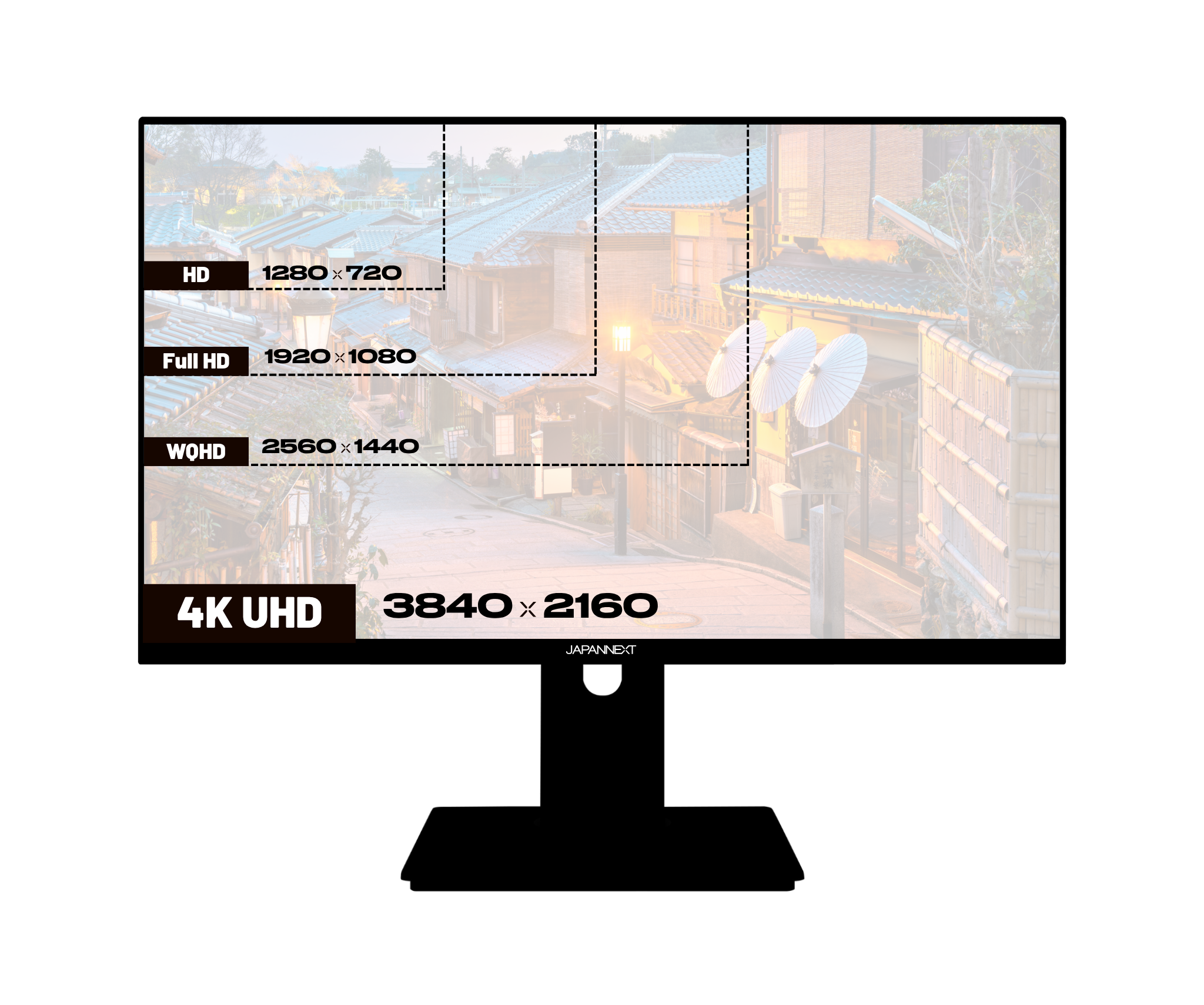
4K refers, on a computer monitor, to a resolution...


Couldn't load pickup availability

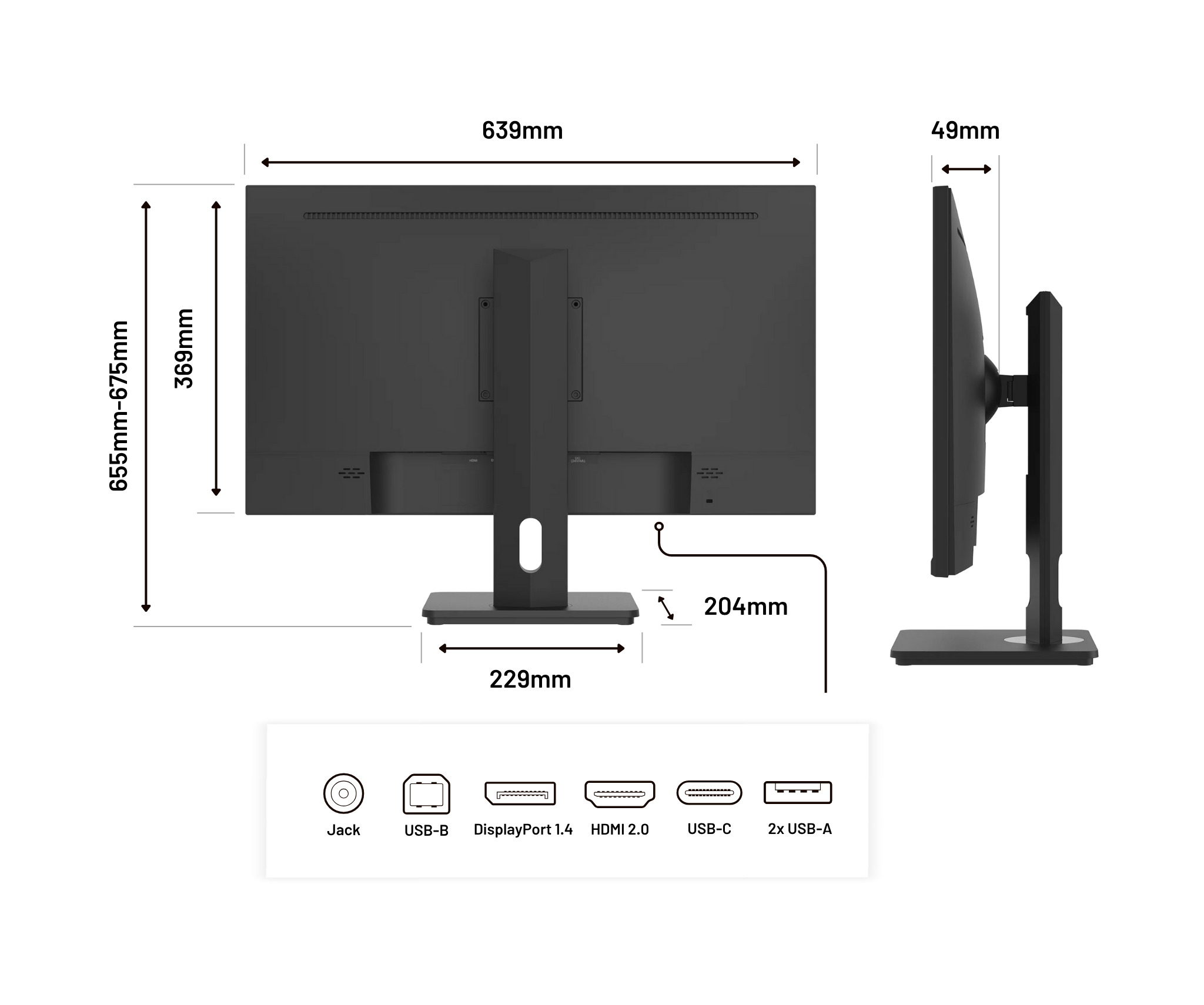
 HDMI
HDMI
 DisplayPort
 USB-C
USB-C
 USB-B
USB-B
 USB-A x2
 Jack plug
For a customized setup
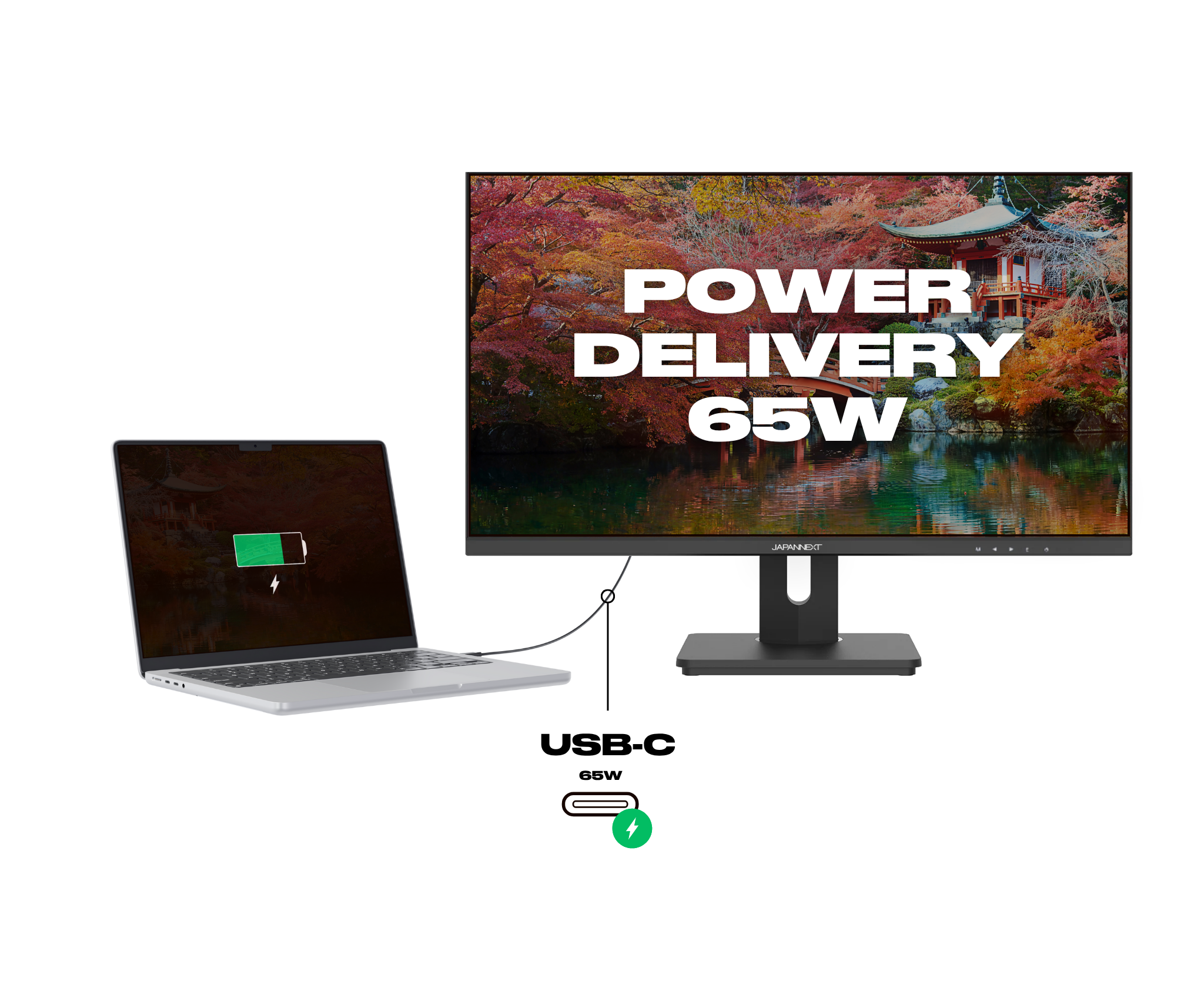
Laden über USB-C
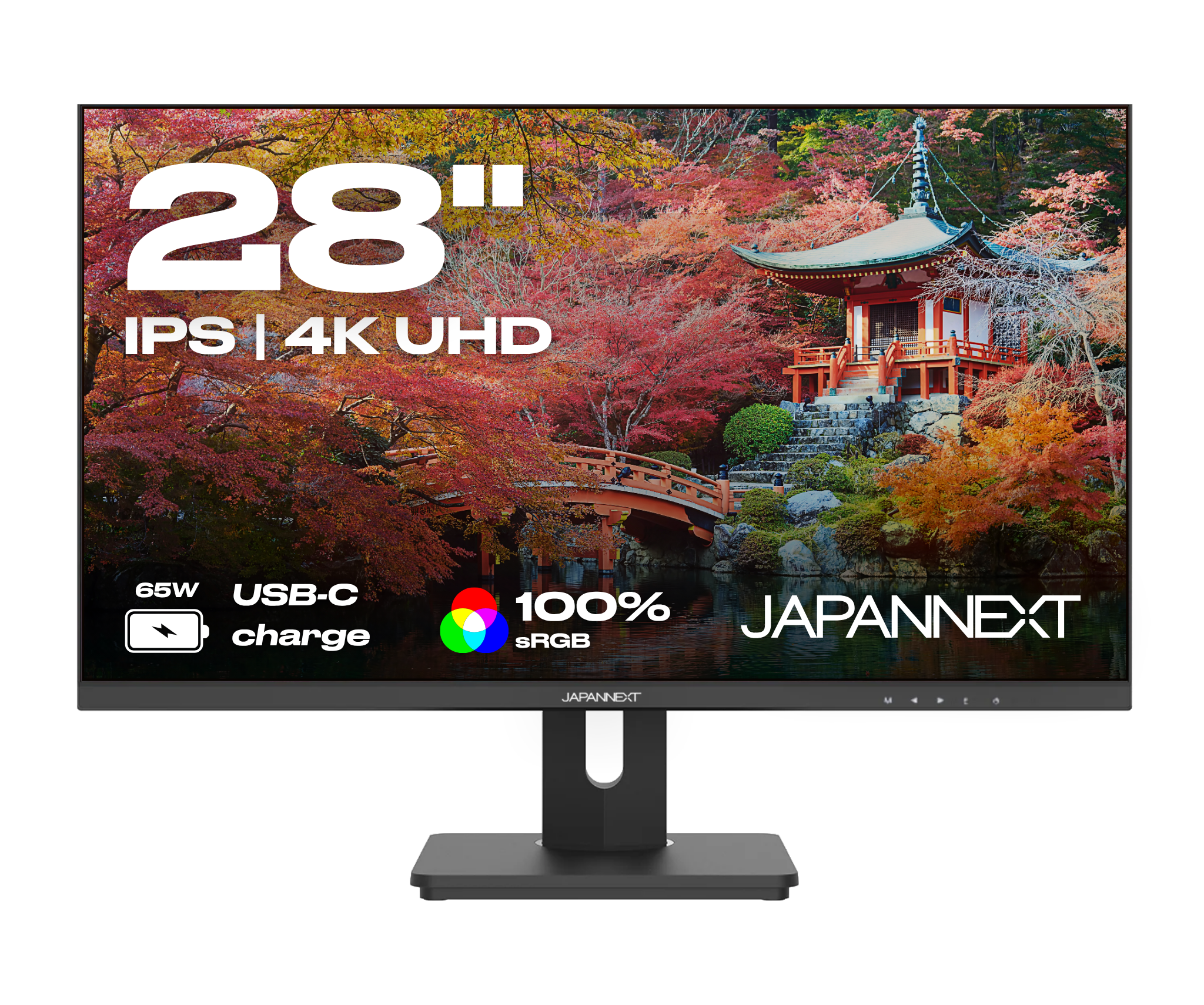
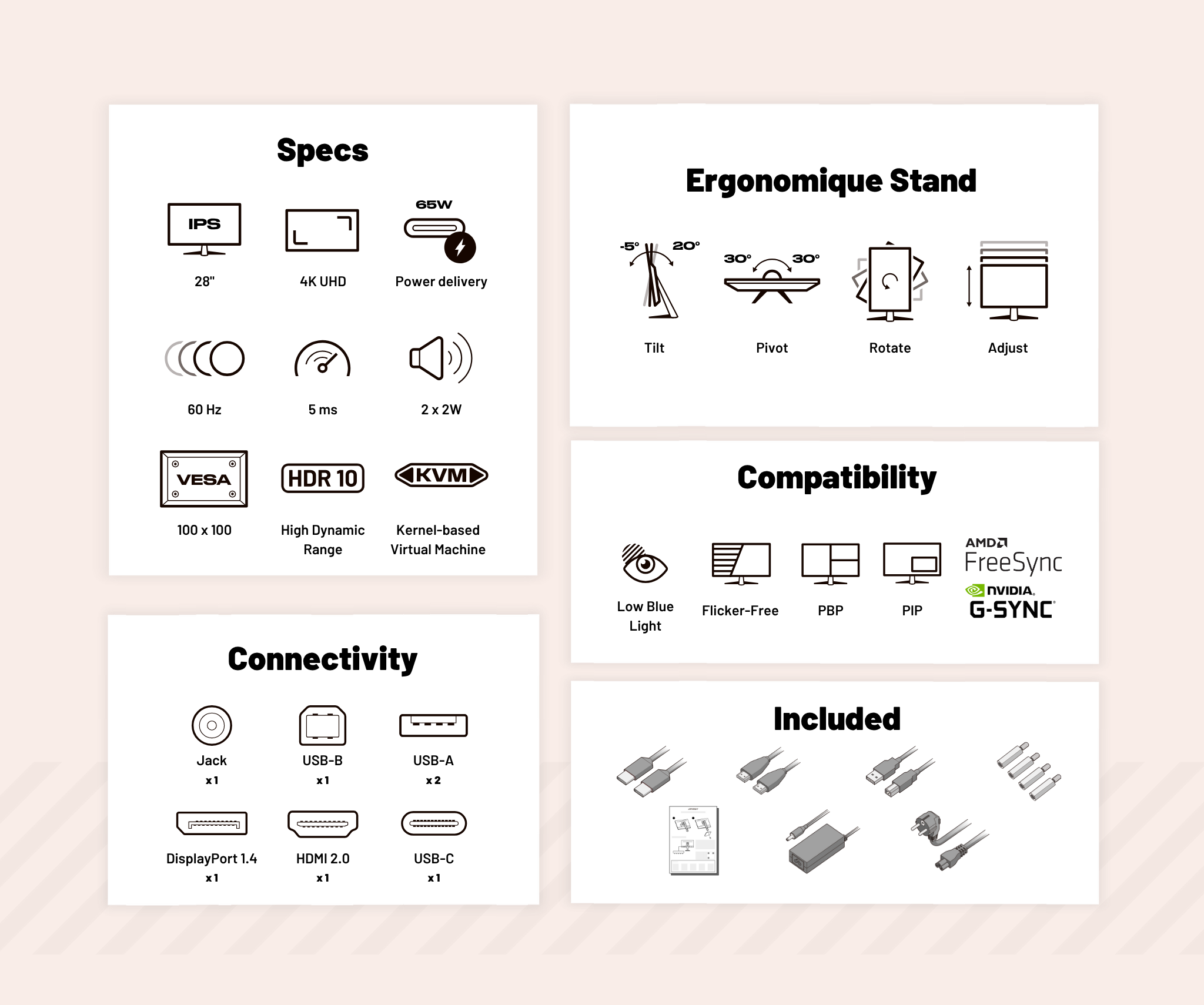
4K UHD: Ultimate sharpness
True-to-life colors
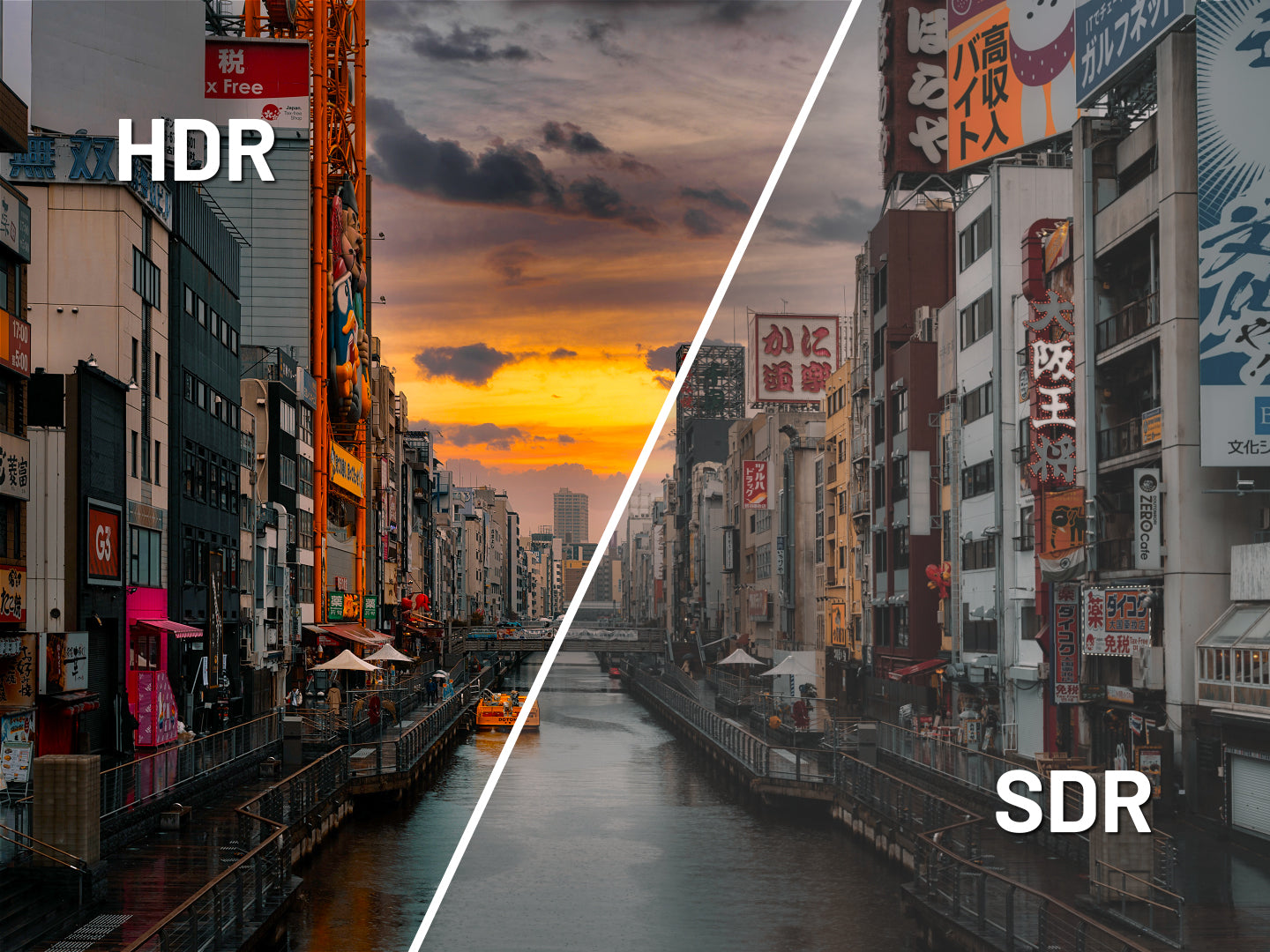
HDR: Immersive experience
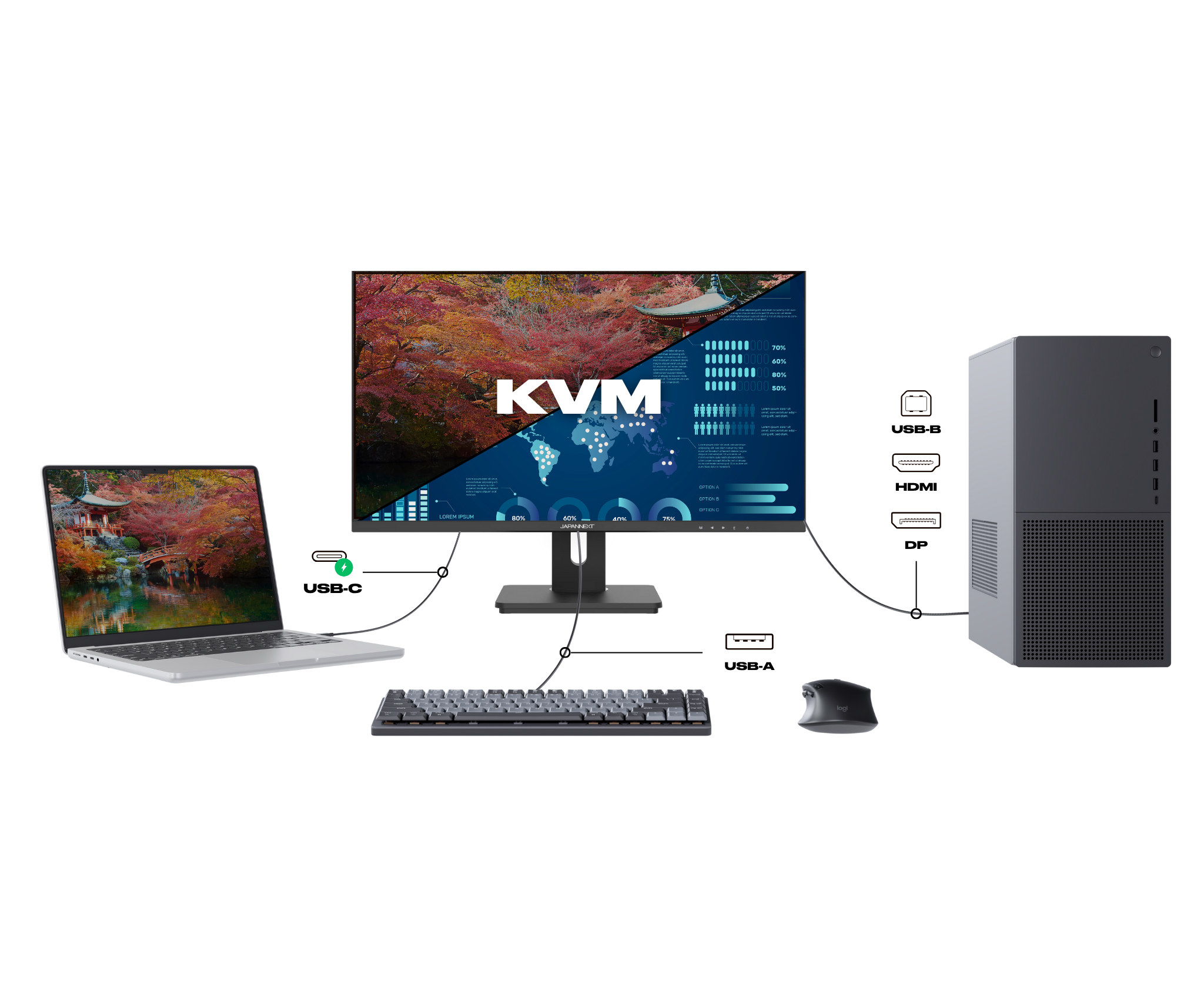
KVM: Simplify your workspace

PBP: Bild für Bild

PIP: Bild-in-Bild

Low Blue Light

Drehpunkt

Adjust

Tilt

Rotation

4K resolution: An ultra-precise visual experience

The performance of Power Delivery

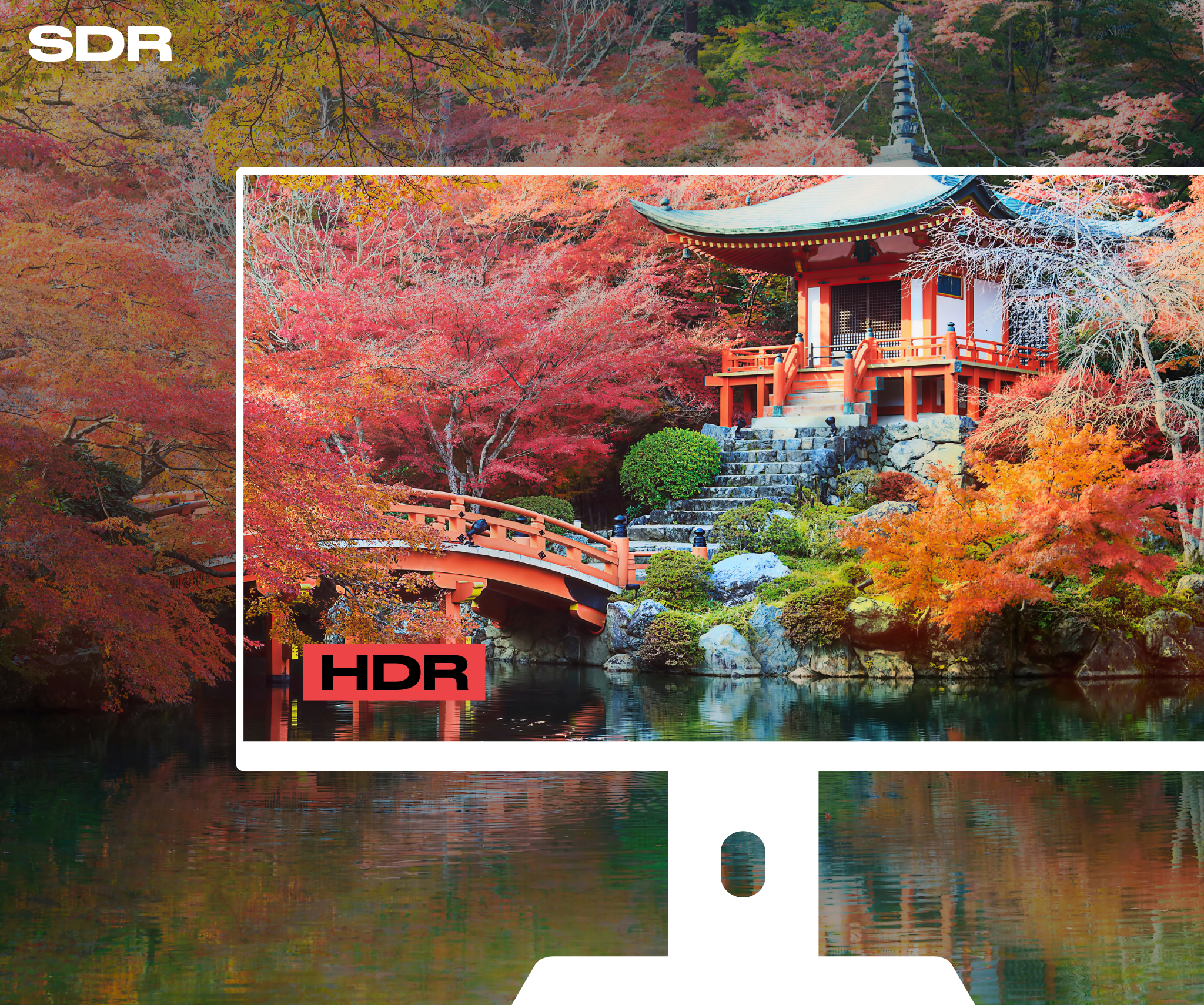
HDR: Realistic colors and contrasts

KVM : Keyboard Video Mouse

Picture in Picture: Video in Multitasking Mode

Picture by Picture: The story told image by image

Low Blue Light: improved visual comfort


Quick Start Guide

USB-C cable

HDMI cable

USB-A to USB-B cable

Power cable

Adapter

VESA spacer
4K refers, on a computer monitor, to a resolution...

The low blue light mode on a desktop monitor is...

An IPS panel retains its colors when the monitor is...
Au top la qualité rien à dire, j'ai hésité au début par rapport à la marque mais franchement produit de bonne qualité avec tout les accessoires fournis avec.
Ottimi materiali, ben costruito. Piacevole come doppio monitor
Bel écran, excellent rapport qualité prix, matériau un peu décevant
Es sind alle Kabel dabei, die Qualität ist richtig gut. Die Verpackung hat eine Anmutung von Apple. ;-)
Prodotto eccellente, grande qualità e risoluzione 4k . Collegato con usb-c al mio mac mini 4 evita di dover ogni volta accendere il video e spegnerlo . Serve comunque collegare la alimentazione al video .Ottimo il poter spostare il video in verticale e ruotarlo sia in orizzontale che in verticale.Gran bel prodotto ad un prezzo ragionevole .Impossibile poter scaricare il manuale del video . In ogni caso molto semplice da montare e molto intuitivo nell’ utilizzo.Da comprare certamente.
Estaba perfecto muy bien embalado.Muy contento
Minisforum AI X1 Pro購入に合わせて白いモニターを探してたところ、以前購入したJAPANNEXT 5Kのモニターがとても良かったので今回もJAPANNEXTにしました。画面の不点灯などもなく表示はとても綺麗で、USB-Cの給電も便利です。買って大満足でした。
Alors j’ai bien aimé la qualité de l’écran et la recharge de mon Mac est bien aussi. Juste attend il est capricieux par moment pour reconnaître mon mac par moment.
muy bien embalado llego en perfectas condiciones muy buena calidad de imagen espectacular
Pantalla absolutamente fantástica por el precio. Resolución de hasta 3200, lo cual es increíble para trabajos de diseño 🙏
この値段でこのクオリティのディスプレイならコスパは良いと思います。発色も良いですし、接続性も問題ないです。唯一気になるのは、発泡スチロールで梱包されている為、開封後のゴミの処分はめんどくさいです。
Preis-Leistung passte bei mir. Als Business-Kunde bekam ich den Monitor deutlich günstiger. Und da ich innerhalb der EU keine Steuern zahlen muss, wurden bei mir tatsächlich unter 200,--€ abgebucht. Dafür ist der Monitor echt klasse. Habe den Monitor noch mit zwei weiteren 28" 4K-Monitoren im Verbund im Einsatz. Noch einen Samsung und einen ASUS Monitor. Unterschiede sind kaum feststellbar. Sie laufen alle an einer Nvidia GeForce GTX1070ti Grafikkarte bei 60Hz in voller Auflösung und mit HDR problemlos bei Büroarbeiten. Auch bei der Farbdarstellung liegen sie sehr eng beieinander. Liegt vielleicht am HDR. Unter HDR kann man ja auch die Farben nicht mehr verändern. Sie sind dann vorgegeben. NVIDIA Surround PhysX, also die Bildschirmauflösung komplett auf alle 3 Bildschirme zu verteilen in maximaler Auflösung (11520x2160 bei dann nur noch 30Hz) ist dann doch zu viel für die Grafikkarte. Dann fängt alles deutlich an zu ruckeln. Also dann ist es deutlich besser die drei Monitore jeweils mit 3840 x 2160 bei 60 Hz zu betreiben. Man nutzt dann ja trotzdem jeden Monitor mit einem eigenen Fenster und kann trotzdem fließen mit der Mouse von Fenster zu Fenster wechseln. Aus dem Internet habe ich mir dann Bildschirmhintergründe für drei Monitore besorgt. Das sieht dann schon großartig aus auf den 3 Bildschirmen. Am Japannext Monitor kann ich jedenfalls nichts dran aussetzen. Das Bildschirmmenü gibt es nur auf Englisch, Französisch und Japanisch.Für Fotoprofis wird der Bildschirm vielleicht nicht ausreichen. Und für Spiele-Fans sind die 60Hz wahrscheinlich zu wenig. Für Gelegenheitsspieler wie ich es bin, werden die 60Hz aber auch ausreichen. Die höhere Auflösung gegenüber einem 1920 X 1080 Monitor machen sich jedenfalls positiv bemerkbar. Und das HDR macht die Farbdarstellung gefühlt noch intensiver und akkurater.Wer also einen guten und günstigen 4K Monitor für das Büro sucht, oder wer nicht die höchsten Spieleansprüche hat (120Hz und mehr), wird wahrscheinlich sehr zufrieden sein mit dem Monitor. Ich habe ihn erst 6 Wochen. Wie das mit der Langlebigkeit aussieht, kann ich bis jetzt noch nicht sagen.Gut sind auch die USB-Anschlüsse. Ich habe daran ein Ladegerät und eine Beleuchtung angeschlossen. Klappt bestens. Auch der höhenverstellbare Standfußgefällt mir gut.Vorläufig kann ich für das Preis-Leistungsverhältnis die 5 Sterne geben.
A good product
wie beschrieben, hervoragend
MacBook air M2と接続し問題なく使用中。4K対応だが4K(W=3840)は自分には細かすぎるので、W=3008で使用中。それ以外にも様々な解像度が選択できるので、やはりディスプレイは高解像度対応に越したことはない。スピーカーは評判通りの粗悪のもので、AMラジオのような音声。ただ、MacBookはクラムシェルでもMacBookのスピーカーから音声流すことできるので自分にとってはマイナスポイントではなかった。MagicKeybordの輝度Up/Downキーを用いて外部ディスプレイの輝度を制御するアプリMonitorControl.appが問題なくこのディスプレイに対応していた。
USB-Cのインプットがあるのでこれに買い換えました。簡単に繋がり値段も抑えられてて色も白があるので選びましたが十分です。メニューのボタンが下部でちょっと押しにくいがあまりいじらないのでこんなもんしょう。良いと思います
Envoi rapide soigné très bon appel téléphonique pour renseignements très satisfait
Ein sehr gutes Preis Leistung Verhältnis.Vorbildliche Qualität, sehr gutes Bild für Home-Office und mehr.Perfekt mit USB-C Lade Funktion. Nur noch 1 Anschluss für mein Laptop..Eine Empfehlung.
J'aime les connectiques, tout fonctionne correctement, ainsi que le système du pied (réglable en hauteur et inclinaison)Mise à jour du commentaire : Les problèmes de qualité étaient dus au cable USB Type C fournis. Après remplacement de celui-ci,la qualité est à nouveau au rendez-vous !!Ancien message (qui n'est plus d'actualité) :Par contre je suis un peu déçu par la qualité. Les couleurs ne sont pas fidèles, le noir tire sur le rouge ... Mais pour le prix c'est acceptable.
Finition moyenne avec un pied en plastiqueImage correcte pour une utilisation bureautiqueDommage que l'image ne prenne pas toute la dalle (écart de 5mm sur les 3 côtés)Le menu et les boutons des réglages ne sont pas ergonomique !Néanmoins un bon rapport qualité/prix
Excelente monitor con resolución 4k, además de un tamaño de 28 pulgadas que de primeras te parece enorme, pero luego te acostumbras y te das cuenta que para editar videos, audio y fotografía cumple su cometido.Se puede ajustar con facilidad la configuración de color, definición, nitidez, brillo y saturación (entre otros parámetros) que son imprescindibles a la hora de trabajar.Por puertos de conexión va sobrado y tiene las conexiones imprescindibles, desde un usb C hasta un puerto HDMI. Genial.Tiene una utilidad que me encanta y es que podemos situar la pantalla del monitor tanto en horizontal como en vertical, según el trabajo que vayamos a realizar, así como regular la altura y el ángulo de visión de la pantalla. Esto para mi es otro punto a favor.El rango de color es muy fiable y las imágenes se ven de infarto!He de decir que me hubiera gustado que el menú de configuración del monitor también hubiera incluido el Español como idioma, pero lamentablemente solo está en Inglés, Francés y Japones, pero no me resultó difícil configurar todos esos parámetros a mi gusto, además, desde la Web de JAPANnext podemos descargar el manual de usuario del Monitor en formato PDF en español y así podremos consultar todo en caso de dudas.El monitor tiene altavoces incorporados pero no esperen potencia de audio, mas bien, el audio no es de calidad, pero se agradece que tenga altavoces. Estos deberían mejorarse (en mi opinión)En fin, muy contento con la compra!Lo utilizaré fundamentalmente para hacer trabajos de edición de video y fotografía con mi Macbook.
Très bon produit conforme aux attentes
Excellent écran. Vraiment rien à dire. Le plus qui m'a séduit est la connexion usb c qui permet d'alimenter le pc portable et d'afficher l'écran du pc. Ne parlons pas du prix ... je n'ai pas hésité et vous devriez en faire de même si vous cherchez un écran 4K pour travailler sur Excel.
Bonjour Alexandre,
Toute l'équipe vous remercie pour votre avis concernant votre dernier achat.
C'est avec plaisir que nous apprenons que vous êtes pleinement satisfait de votre dernier achat.
Bien à vous
très satisfait du produit est du sav pour m'avoir conseillé lors de la mise en service. merci
Un grand merci pour votre retour !
Chez JAPANNEXT, nous faisons tout pour offrir des écrans de qualité qui améliorent votre quotidien, que ce soit pour le gaming ou la bureautique. Votre avis nous motive à continuer sur cette voie.
Excellente journée,
I’m very satisfied with the screen overall – it offers excellent quality for the price. However, I’m giving it 4 stars because the menu buttons are a bit hard to reach. Other than that, it’s a very good purchase!
Franchement pour le prix, cet écran est incroyable, la qualité de la dalle est superbe, surtout le piqué et la fonctionnalité KVM/PIP est un plus. Rien à signaler aux niveaux connexions tout fonctionne parfaitement. (Mac mini dans mon cas...)Bref je recommande vivement.
Recomendable 100%Compré el modelo de color blanco y muy bien. La base regulable en altura que era lo que quería, y trae todos los cables del mismo color blanco que le da una estética en conjunto muy buena.
The monitor arrived. Took 10 minutes to set up.Plug and playBeautiful picture - beautiful look.Very happy for my purposes.Wonderful purchase and I recommend it highly
Um das Home Office mit einem zweiten 27" 4K auszustatten haben wir den JAPANNEXT bestellt, da der HP 27" 4K nicht mehr verfügbar ist und die aktuellen HP entweder kein 4K in 27" sind oder wesentlich teurer.Auch wenn die eine japanische Rezension sagt, über USB C kann kein Bild ausgegeben werden: es funktioniert problemlos. Befindet sich das Dongle für die Tastatur und Maus am Monitor, bedienen diese entweder das MacBook Air das testweise per USB-C angeschlossen ist (lädt und Blldausgabe gleichzeitig) oder den Bürorechner der per USB Hub und HDMI angeschlossen ist. Wechselt man den Monitor auf HDMI bedient die Maus/Tastatur den Bürorechner (dazu muss das USB Kabel vom Monitor an das USB Dock des Rechners angeschlossen werden).Danach auch den zweiten Rechner (4 1/2 Jahre alter HP Windows 11) direkt per USB-C angeschlossen und auch dieser schafft die Bildausgabe per USB-C direkt per 4K und lädt auf. Womit man sich das USB-Dock eigentlich sparen kann.Bildschärfe ist klasse, Helligkeit steht auf Energy Saver on auf 20%. Ab 50% wird das wirklich ganz schön hell!Aber Hinweis falls jemand ein deutsches OSD braucht: es gibt nur EN, FR und JPUnd klasse: es sind ALLE Anschlusskabel mit im Karton und dass im passenden weißen Look.

A question?
We are here to help
Find your user manual
Download
FREE Express Delivery
No need to wait to enjoy your screen, JAPANNEXT offers express delivery within 48 hours .

Dedicated customer service
Rest assured, our team is available to advice you and support you in your purchase.

Payment in 3x without fees
With our partner Klarna, pay for your screen in 3 monthly installments and all free of charge.